
The direct answer
Choose the keyboard in its working shape.
A foldable keyboard should first work as a keyboard. Compare the open layout, the controls you use every day and the surface available at your destination. Folded size matters after those questions, not before them.
When does a foldable keyboard make sense?
A foldable keyboard makes sense when your work moves between locations and a rigid, one-piece keyboard is awkward to carry. It can turn a phone or tablet setup into a more familiar typing workspace without asking for permanent desk space.
A conventional compact keyboard may be the better choice when you mostly work at one desk, have room for a rigid board or simply do not need the keyboard to fold. Portability is useful only when it solves a real constraint.
That distinction also prevents a common buying mistake: choosing the smallest folded object, then discovering that its open layout or missing controls do not fit the work.
Check the open typing layout before the folded shape.
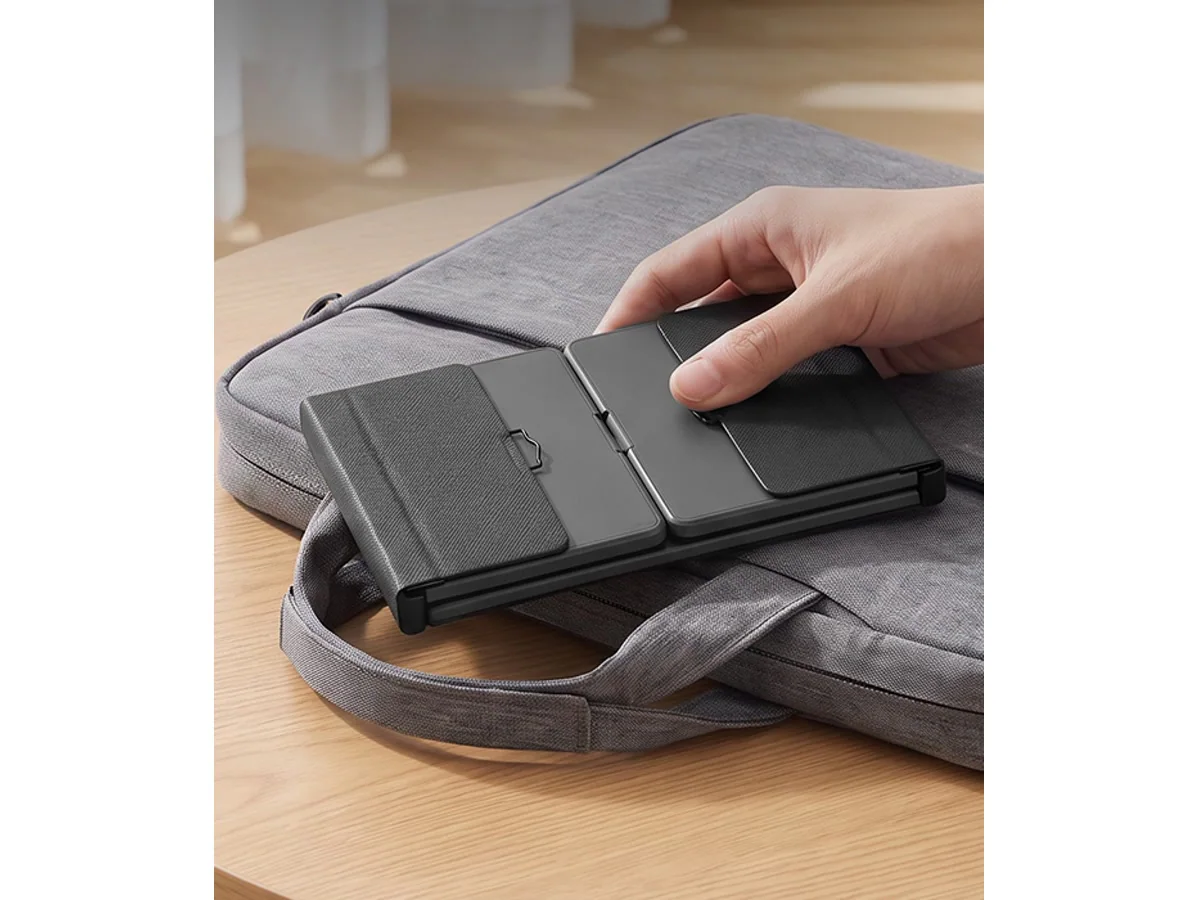
Look at the keyboard as it will sit on a hotel desk, café table or shared work surface. Check the key arrangement, where the folds and hinges sit, and whether the open board gives your hands enough room for the sessions you expect.
The hinge pattern matters because different products solve carrying in different ways. A multi-panel fold can preserve a straight typing layout and add other controls. A center fold can support a different hand position while keeping the carry shape simple. Neither approach is automatically right for everyone.
Decide whether the keyboard also needs to replace a mouse or number pad.
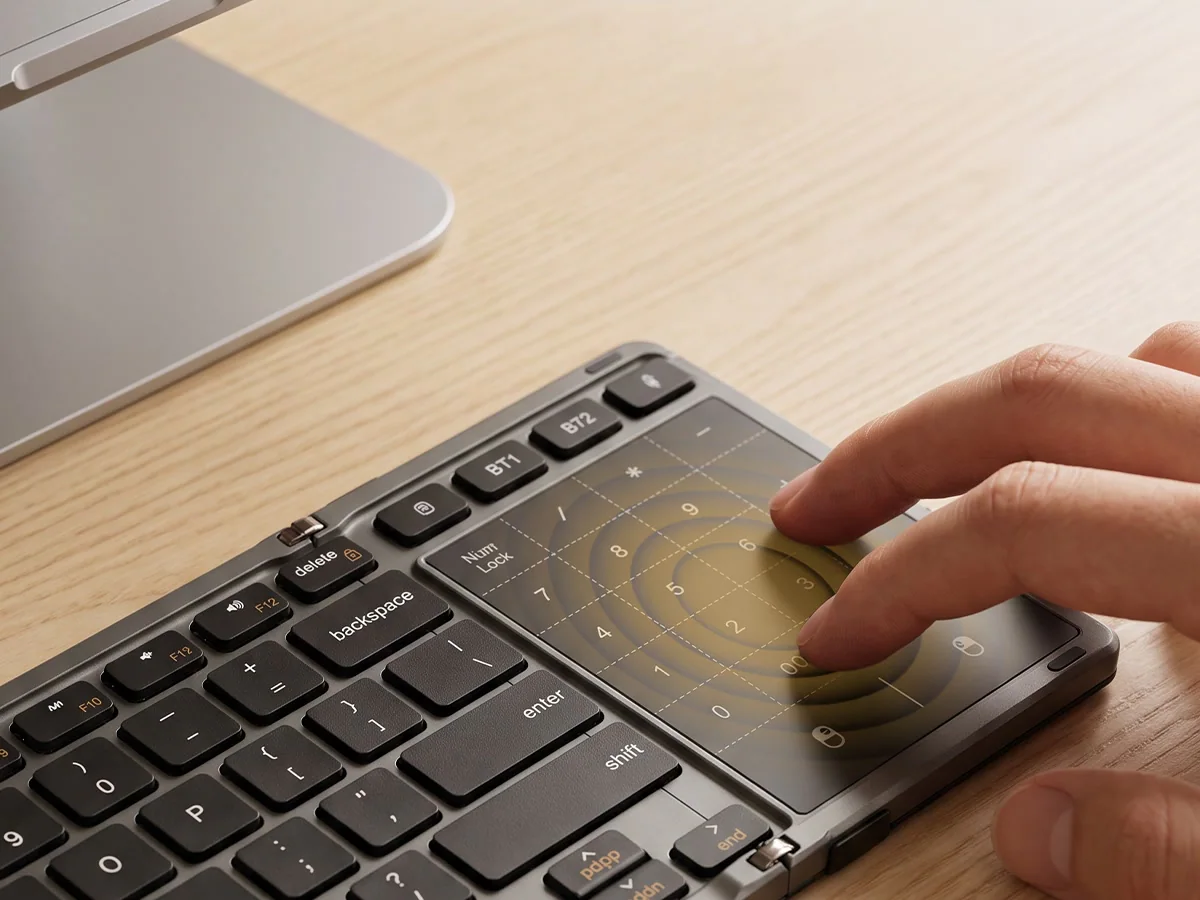
Writing is only one part of many mobile work sessions. Spreadsheets, forms, documents and email can involve pointer movement and repeated number entry. If those tasks are common, carrying a separate mouse or numeric keypad may undermine the reason for choosing a portable keyboard.
AF01 addresses that workflow with 82 physical keys, an integrated touchpad and an 18-key touch number pad. Use Fn + Space to switch the touch surface between navigation and numeric entry. The choice is less about adding every possible feature and more about consolidating the controls your work already needs.
If your work is mostly focused writing and you already use the screen for navigation, those integrated controls may be less important than the typing form itself.
Explore the AF01 foldable keyboard with touchpad and number pad.
Consider an angled split when the typing position is the priority.
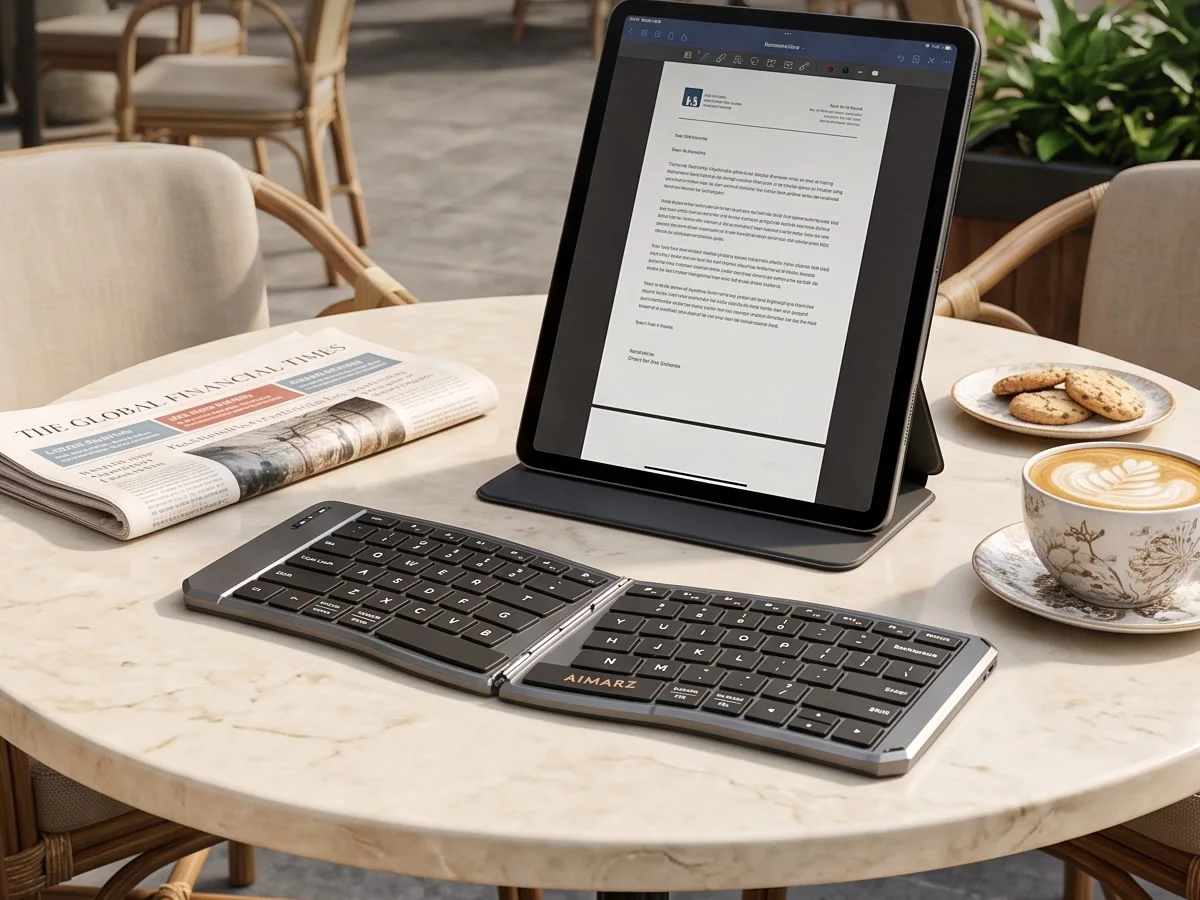
A split layout changes the relationship between the left and right key sections. The useful question is not whether a keyboard carries an ergonomic label. It is whether its actual angle, key spacing and overall width fit the way you type.
AF02 uses an 80-key angled split layout with low-profile 1.4 mm scissor-switch keys. That makes it the more focused Aimarz option for people who value the split typing form over integrated pointer and number-entry controls.
An angled split is a layout choice, not a medical treatment. Comfort remains individual, and no keyboard can promise pain relief or correct posture for every person.
Choose for the whole travel setup.
The keyboard is one part of a portable workspace. Think through the screen position, stand, charging cable, receiver or adapter, pouch and the surface where everything will sit. A good setup is the one you can unpack clearly and put away without losing small pieces.
Check operating-system compatibility, but do not treat an OS name as proof that every device, shortcut or app behaves identically. Both current Aimarz models list Windows, macOS, iOS, Android compatibility. Model-specific setup details remain in the support pages.
For a broader view of the workspace around the keyboard, see portable keyboard setups for work anywhere.
AF01 or AF02: use the work to make the decision.
| Decision point | AF01 | AF02 |
|---|---|---|
| Primary fit | Full-size typing, touchpad control and number entry for productivity and multitasking. | Ergonomic split typing for focused writing and comfortable everyday work. |
| Verified layout | 100-key input layout (82 physical + 18 touch) | 80-key ergonomic angled split layout |
| Folding structure | Three-fold structure with locking latches | Foldable angled split structure |
| Verified OS compatibility | Windows, macOS, iOS, Android | Windows, macOS, iOS, Android |
Choose AF01 when touchpad control and number entry are part of the mobile workflow. Choose AF02 when focused typing and the angled split layout matter more. If neither description matches, keep looking rather than forcing the wrong format into the bag.