
The direct answer
Choose foldable for a shorter packed shape. Choose compact for a rigid one-piece board.
A foldable keyboard is usually the stronger choice when the longest dimension inside the bag is the main constraint. A rigid compact keyboard makes more sense when it already fits the bag and you would rather keep a one-piece working surface. Neither form is automatically more portable for every trip.
Foldable and compact solve different space problems.
A foldable keyboard changes shape between carrying and typing. Hinges or folding panels shorten the packed form, then open into a larger working layout. A compact keyboard stays rigid and reduces its permanent footprint by using a smaller case, a tighter layout or fewer dedicated controls.
In this guide, compact keyboard means a rigid keyboard that is smaller than a conventional full-size desktop board. It does not mean every 60%, 65%, tenkeyless or slim wireless keyboard behaves the same way.
Start by naming the actual constraint. Is the bag too short for a rigid keyboard, or is the desk too small for a wide one? Those are different problems and can lead to different answers.
Measure the packed shape, not just the product category.
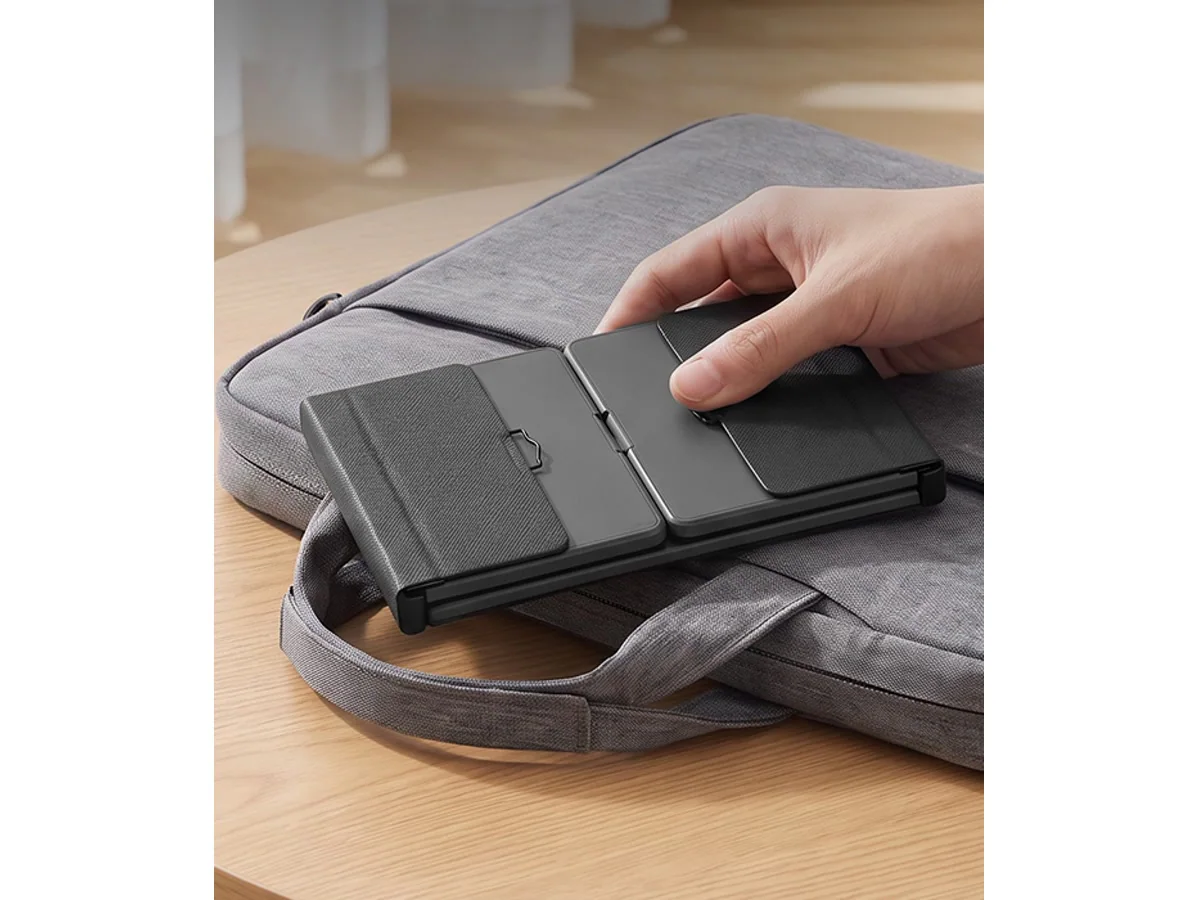
Check the usable length, width and depth of the compartment where the keyboard will travel. Include the pouch, stand, receiver, adapter and charging cable that belong to the setup. A keyboard that fits alone may not fit once the complete kit is packed.
Folding can reduce the longest packed dimension, but the folded stack becomes thicker. A rigid compact keyboard normally remains longer and flatter. Weight is useful, but it cannot tell you whether the keyboard fits beside a tablet, notebook or other work tools.
Compare both keyboards after they are ready to type.
The packed shape gets the keyboard to the destination. The open layout determines whether it belongs in the workflow. Look at key placement, key spacing, the position of hinges or panel gaps and the distance your hands need to travel for common commands.
A rigid compact board preserves a continuous body, but a smaller layout may move or remove keys you use. A foldable board can open wider than its packed form, but its folding structure becomes part of the working surface. Judge the exact layout rather than assuming one category always types better.
If possible, test the work you actually do: a long email, a spreadsheet, a document edit and the shortcuts used by your operating system. A five-minute product demonstration may not reveal the same priorities as a full work session.
Count the extra tools the keyboard may replace.
A small keyboard can create a larger travel kit when the work still requires a mouse, number pad, stand or adapter. List those pieces before deciding which keyboard occupies less practical space.
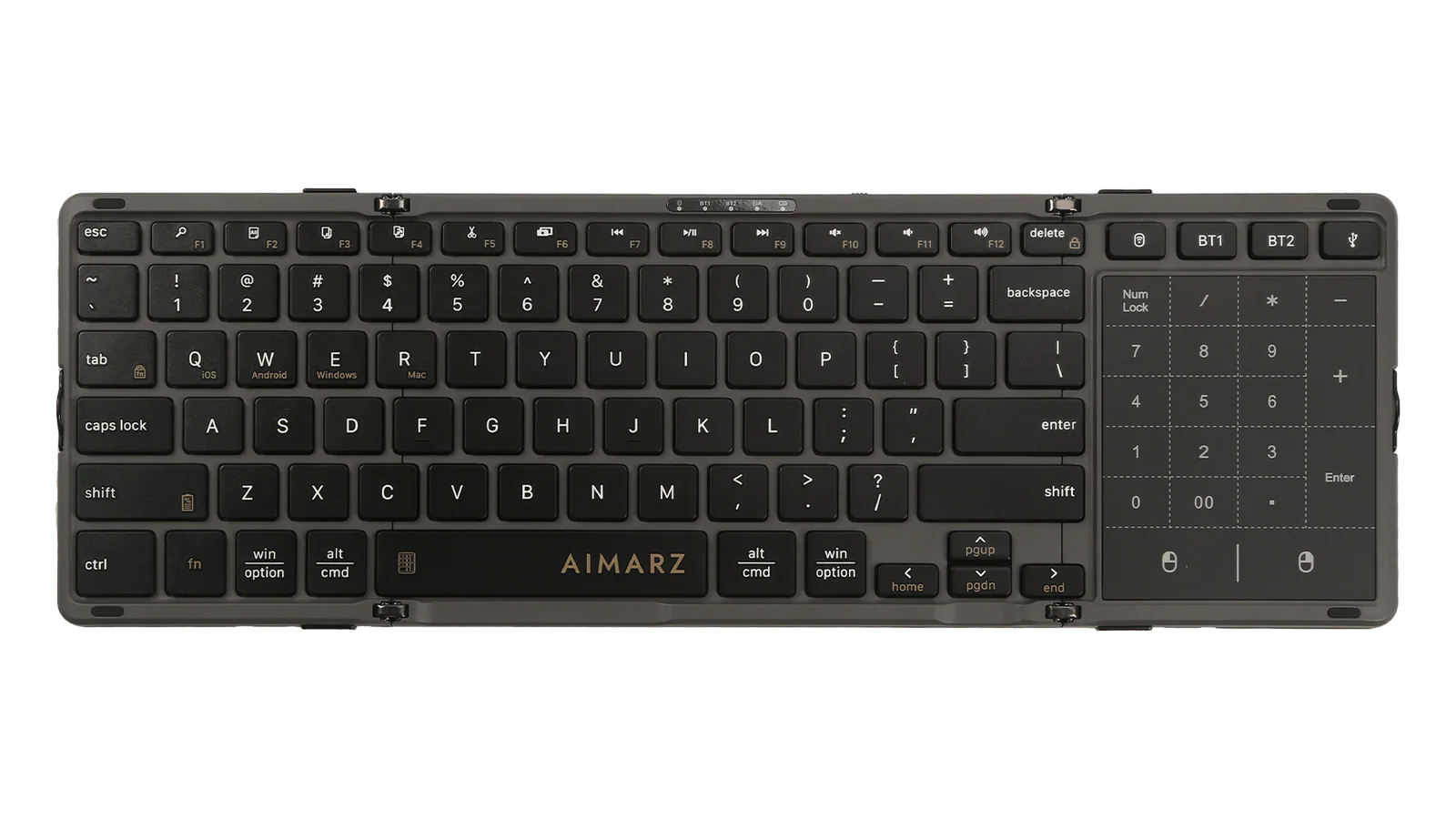
Some foldable keyboards integrate more than typing. AF01, for example, has 82 physical keys, an integrated touchpad and an 18-key touch number pad. That can consolidate pointer control and number entry for a particular workflow. It is not automatically better for someone who already prefers a separate mouse or does not use repeated number entry.
Rigid compact keyboards also vary widely. Some preserve function rows or arrow clusters, while others prioritize the smallest permanent footprint. Compare the controls on the exact models, not the label on the box.
Plan for the surface at the destination.
Hotel desks, café tables, airplane trays and shared counters do not provide the same amount of room. Check whether the keyboard needs a firm, level surface and whether the open body leaves enough space for a separate pointing device.
A foldable structure and a rigid one-piece body distribute support differently. Test the exact keyboard on the type of surface you expect to use. If the usual destination is one stable desk, the ability to fold may add little value. If every workspace changes, the shorter packed form may solve the more important problem.
Use the travel constraint to choose the form.
| Decision point | Foldable keyboard | Rigid compact keyboard |
|---|---|---|
| Packed shape | Shorter after folding, usually with more folded thickness. | Longer fixed shape, usually without a folded stack. |
| Working body | Opens across hinges or multiple panels. | Keeps a continuous one-piece body. |
| Layout | Can open into straight, split or multi-panel forms. | Uses a permanently reduced or rearranged layout. |
| Extra tools | Some models integrate touchpad or number-entry controls. | May be paired with a separate mouse or number pad. |
| Better fit when | Bag length and changing work locations are the main constraints. | The board already fits and a one-piece surface matters more. |
If both forms fit the bag, choose based on the working layout and controls. If only the foldable form fits the real compartment, the transport constraint may decide the category before individual features do.
The Aimarz family shows two ways a folding structure can work.
AF01 uses a three-fold structure with locking latches and changes from 199.2 × 122.9 × 20.5 mm folded to 362.8 × 122.9 × 10 mm open. Its verified typing form is straight familiar layout. It also integrates a touchpad and 18-key touch number pad.
AF02 uses a foldable angled split structure and changes from 180.3 × 144.8 × 18.5 mm folded to 357.2 × 144.8 × 9.3 mm open. Its 80-key form is described in the verified product data as an 80-key ergonomic angled split layout.
These examples help explain folding choices; they do not make a rigid compact keyboard the wrong answer. If a one-piece compact board fits the bag and better matches the work, choose it. For the next step, compare AF01 and AF02 or read the broader guide on how to choose a foldable keyboard.